How to Use Lighting to Create Atmosphere in 3D Game Environments
- Author
- Gökhan Kuşatan
- Published
- Read Time
- ~ 4 min
- Categories
- Design & Art
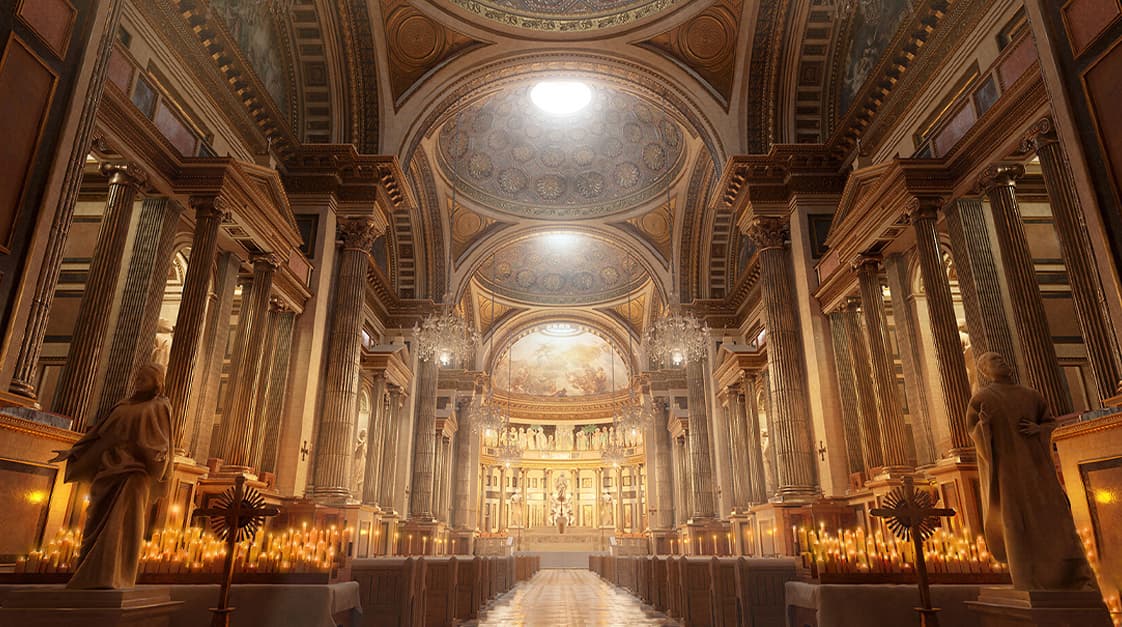
Lighting in 3D game worlds isn’t just about making things visible. It’s how you set the mood, point out what matters, and make everything feel real. Good lighting can turn your game into something special a quiet forest or a lively city.
Let’s explore how lighting can create atmosphere in 3D games, with some simple tips to get you started!
Set the Vibe with Light
Light is like the soul of your game. Want players to kick back and relax? Throw in some soft sunlight and everything feels calm and cozy. Need a bit of mystery? Slide into blue tones. They cool things down and get people curious.
Colors are where the fun’s at. Warm tones, like oranges and yellows, pull players in and make it feel friendly. Like blues or grays, cooler tones push things back and add a different vibe. Match the light to what your story is saying, and your scene won’t just look nice it’ll hit the right notes.
Oh, and don’t sleep on brightness. Dim light can build tension, while bright light keeps it open and transparent. Play around with it because every scene has its own needs.

Point Out the Good Stuff
In a packed 3D world, players can get lost easily. Light steps in and says, “Yo, check this out!” Put a bright spot on something, like a shiny item in the dark, and their eyes go straight there. Or light up a path, and they’ll wander that way without even thinking.
At Cosmos by Leartes Studios, we've noticed that a well-placed light can clean up a messy scene. Balance the bright parts with darker spots so they stay sharp without overwhelming anyone.
A quick tip: Change the angle too. Light from above feels dramatic, while light from the side feels chill. It depends on what you’re going for.

Make It Real with Shadows
Flat lighting makes your world look fake like it’s made of cardboard. Instead, add shadows and moving lights. Soft daylight bouncing around or a lamp flickering a little are the touches that sell it. Add a faint glow from a night sky, and suddenly, your scene’s alive.
Don’t overdo it, though. There are too many shadows, and players won’t know what’s what. Keep it simple but effective. You can mess with this stuff quickly using Cosmos by Leartes Studios tools. It makes a big difference without the hassle.
Dynamic lights are gold, too. Picture a character with a torch, light dancing on the walls; that’s instant realism. Little details bring big wins.

Play with Timing
Switching lights on a day-night cycle can elevate the atmosphere. A bright, lively spot at noon becomes quiet and dim by night. Tie the lighting to your game’s rhythm, and players won’t want to leave.
Say you’ve got a morning scene. Soft light with a bit of fog can feel magical and real. At night, bright points like stars or streetlights cut through the dark and make it pop. Timing gives you endless ways to mix it up.

Quick Tips
- Mix lights: Ambient, directional, point lights blend them for something that feels right.
- Add fog: Pair it with light, and the scene gets a new vibe.
- Experiment: Didn’t work on the first try? Tweak it until it clicks.
- Contrast matters: Not too bright or too dark. Just the right balance wins every time.
Lighting’s not some boring tech thing. It’s straight-up art. Nail it, and players get sucked into your world, feeling whatever you’re throwing their way no words needed.
Want to take your 3D environments to the next level? Check out Cosmos by Leartes Studios it’s packed with everything you need for level design, from tools and environments to endless inspiration for building your next world!