NOGROTH, Veiled Realms 3D Environment
- Author
- Léo Gosselet
- Published
- Updated
- Read Time
- ~ 12 min
- Categories
- Game Props, Environmental Design, Technical Art, Architectural Elements, Engine Specifics, Texture Crafting, Lighting Solutions
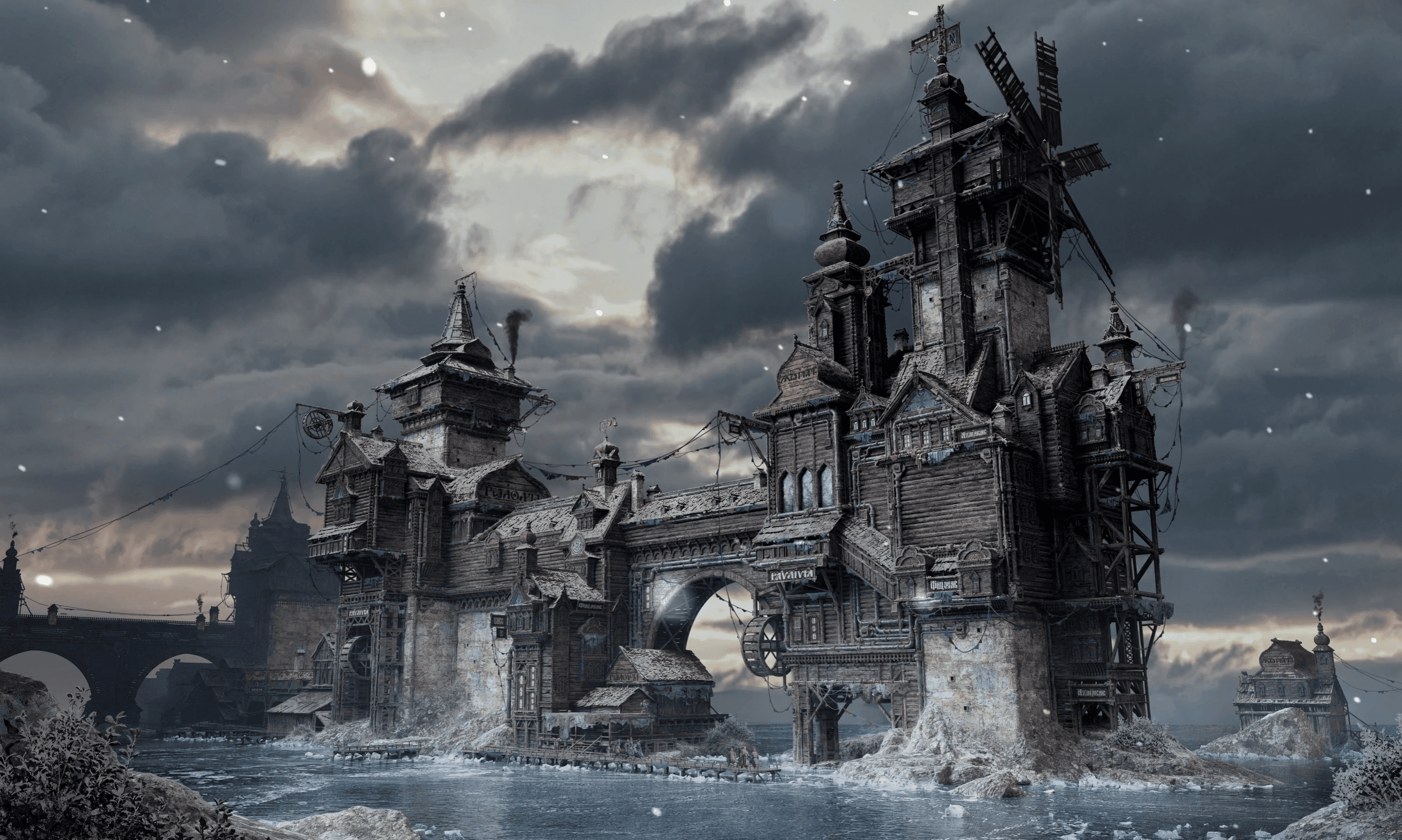
#leartesstudios #learteschallenge
Nogroth for Veiled Realms, Project Journaling, by Léo Gosselet
The first step in any 3D realisation is gathering references, and dissecting the concept art given by the artists. This step in crucial in understanding the drawn environment and deciding what to make first to have a base to start from. This dissection part is also important to map out in your head what kind of assets you will have to produce. What materials ? Tiling or not ? Trimsheet or hard surface ? Should I do a kit or just go with the flow ? All those kind of questions are usually answered in the first few moments of the project, and depending on what you want to achieve, some workflows are more interesting than others. For the Leartes challenge, one of the rule is to make the 3D Environment in a real time game engine, so I'm gonna go with the logic of making a game-ready asset kit for making modular cities and skylines.
It was a challenge for me to pick a concept art from Max's portfolio. A lot of his propositions are interesting, and almost all of them bubble in small details and interesting gimmicks. So, I decided to pick the only one I don't feel comfortable with: Nogroth, the traders city. Let's kill two birds with one stone, if this is gonna be a challenge, lets dive deep into it ! This challenge can be a learning opportunity.
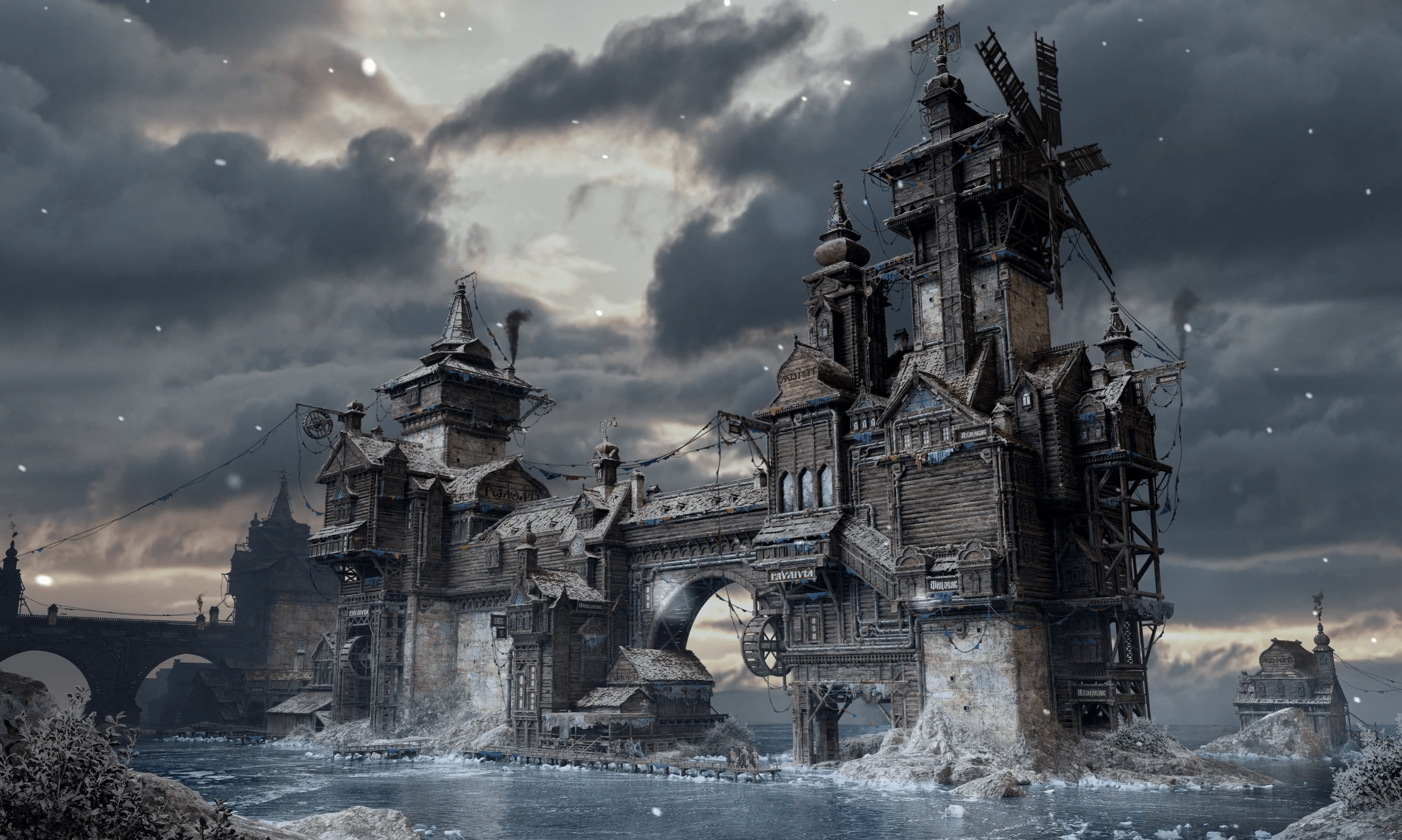
The first thing i've noticed, are the variations in the materials. From afar, it looks like its made out of wood and concrete, but when you look closer, you find out there are wooden logs, wooden planks, roof tiles, hay roofing, cloth, iron pipes and concrete. So i made myself a small PureRef (a very usefull free software to assemble moodboards) , and started separating the different materials I'd have to make prior of the modelling. Starting with the evident first, roughtly, and then I'll dive later in the variations and details.
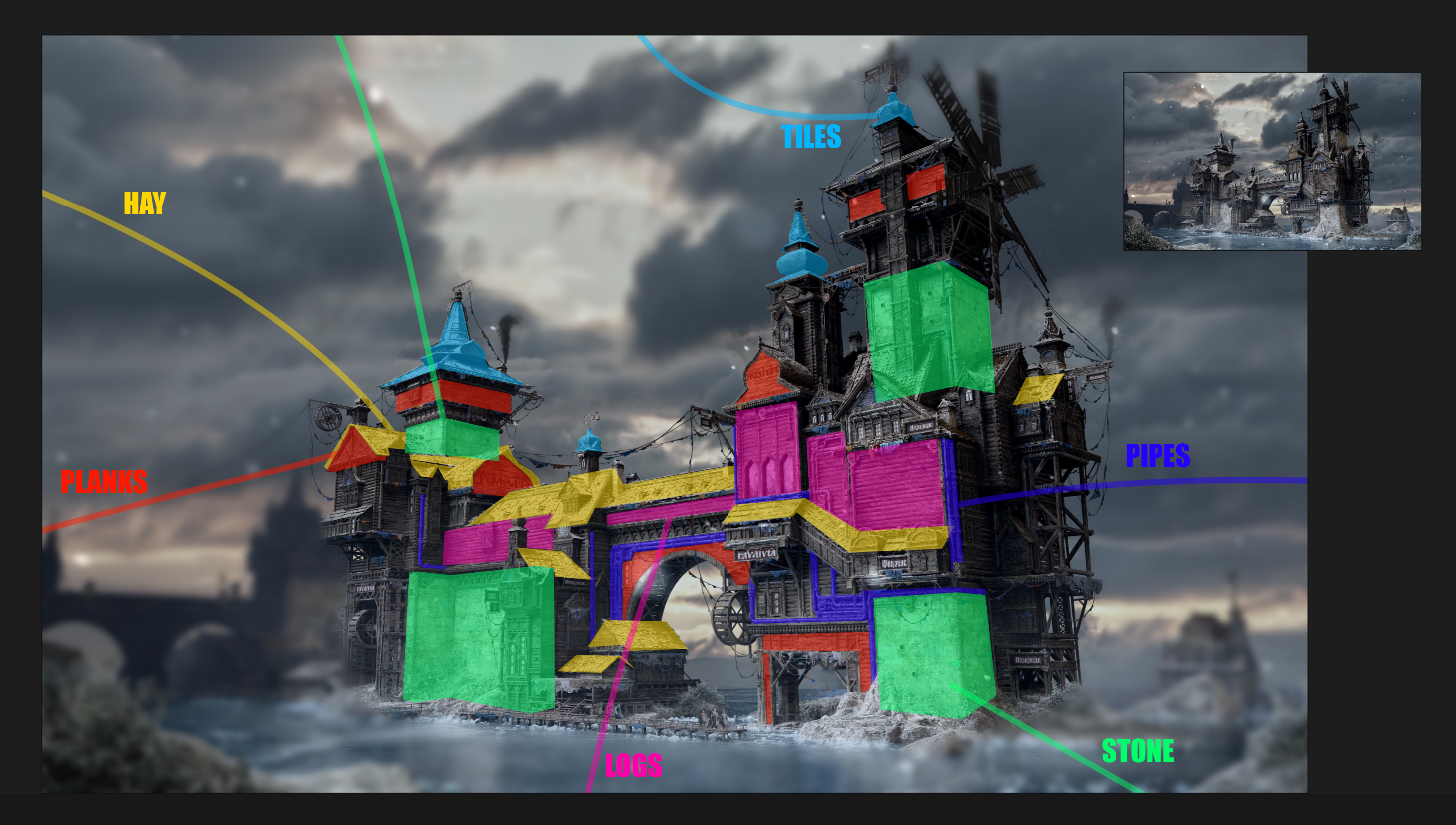
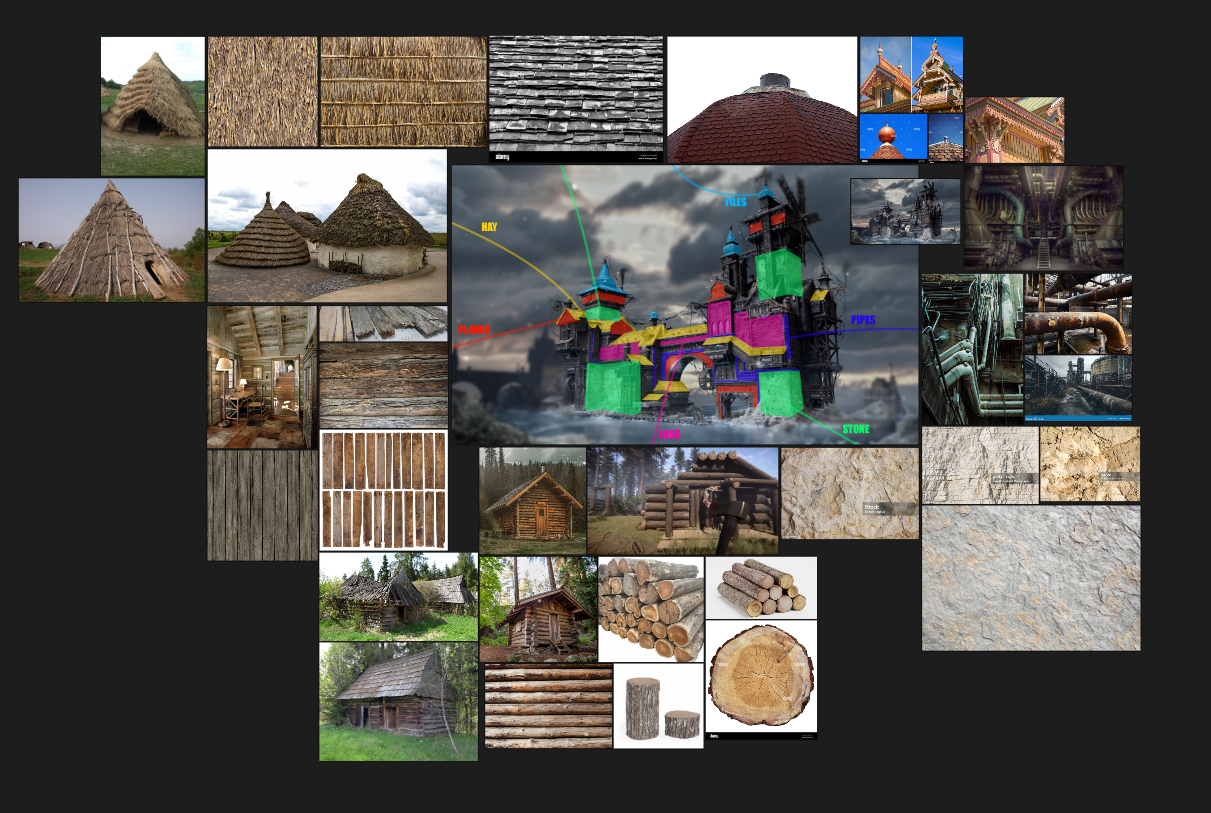
After a few minutes of digging into the concept art, i've came up with a clear idea of the different materials and meshes I'll need for this project. Calcareous stones, one or two wooden logs kit, one or two wooden planks kit, some metal trims, a big modular pipe kit and some hay roofing along with some russian toof tiling. All the remaining details such as the hanging cables and cloth will come a lot later when the base is strong enought. It'll be the chef's touch at the end.
Blocking out the building will help me figure out what the approximate size of each element is, but also this method will allow me to work piece by piece and then reassemble them as willingly as possible if I have a change of mind. At this point in the process I don't really know how detailed I wanna go. Am I planning on making close-up shots anytime or not, that is the question. By security, I chose to go the detailed path and make sure the assets I will produce can fit in the quality standards of a cinematic shots for a game, that way I will have more freedom later if I want or am asked to make a reusable kit for another project.
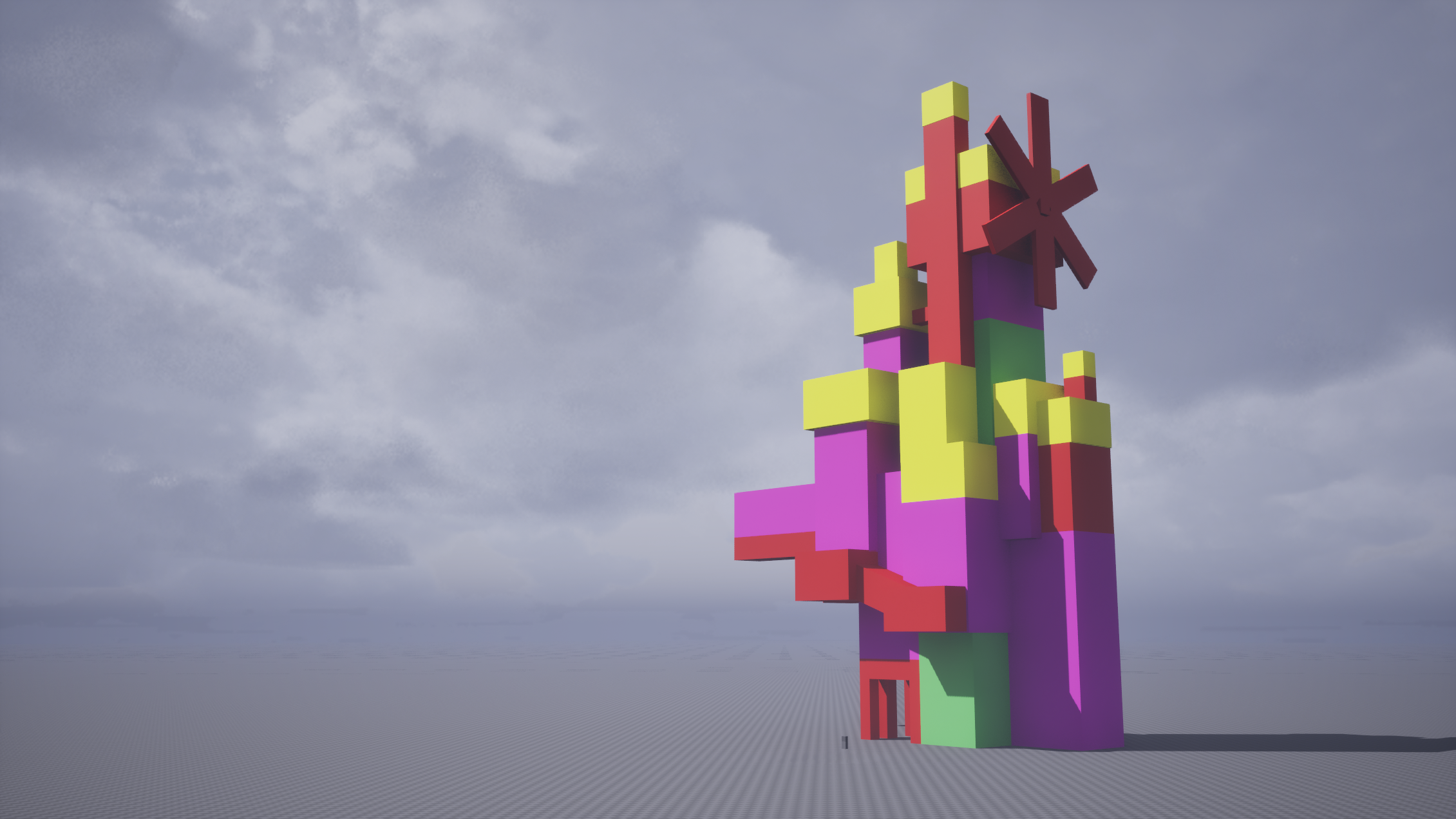
I didn't block out the entire scene, as I thought to myself that if my kit for this part alone is good enought, I should be able to model the rest without having to follow a block out. I didn't go too strict about the sizes, I simply followed the overall agencement of parts and assigned them a color for each material type, like yellow for the roofs and green for the stone.
Once the blockout has reached a satisfying state, it is time to produce some low~medium quality assets to fill those blank blocks and figure out how the final product will look like. I like to see results fast, so I can quickly see if what I have made out in my mind looks good or not, and also how long each part is going to take me. This challenge gives its participants around 6 months to be made, but I, like many others, won't have the luxury to exploit all this time and spend it on the project. So, knowing that the time we have is limited, we have to think efficiently. What needs to be made first, what needs more details, and also how can we save time without impacting quality and creativity ?
Also, it is important to keep in mind the fact that all of that will have to run in real time on somebody else's PC. It means the project has to be optimised and made with other people setup's in mind aswell. This challenge is actually harder than it seems, the more I dig into it.
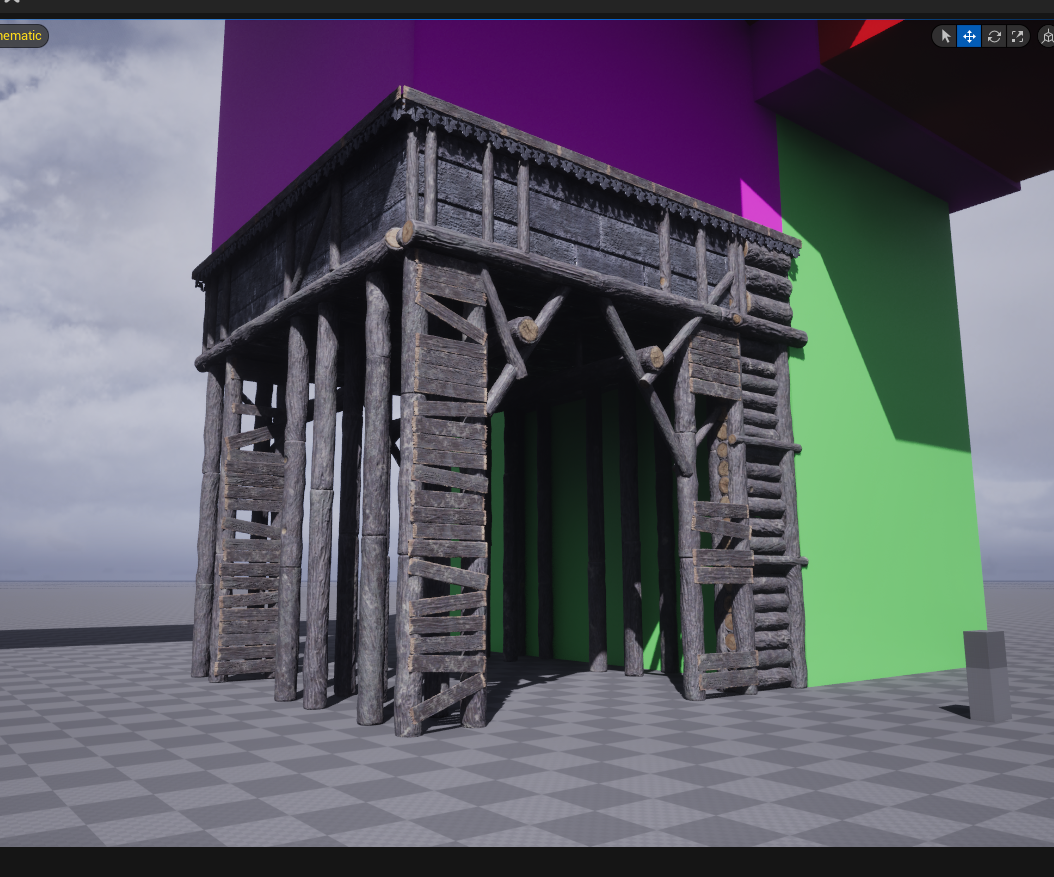
I threw together few assets I made using various softwares, using the videogame asset-making pipeline to ensure maximum optimisation and performances while keeping graphical quality and fidelity. I decided to start with a part of the building that looked complicated enought so I could try different techniques on it, but also simple enought that the work put into could be reused on other parts without wasting time. In short, making an asset that isn't an hero asset but that also looks "important".
After a while of producing advanced block-in, I ended up with a satisfying result, at least on most of the produced assets. I am a very impatient artist, and I like to see results fasts, that way I can quickly notice if the path my work is taking is the right one or not. Quick work equals to quick itterations, wich means I can make mistakes early on and fix them while working instead of having everything piled up waiting to be fixed at the end of the challenge. Again, we have a lot of time but I can't afford to spend my life on it, gotta think efficient.
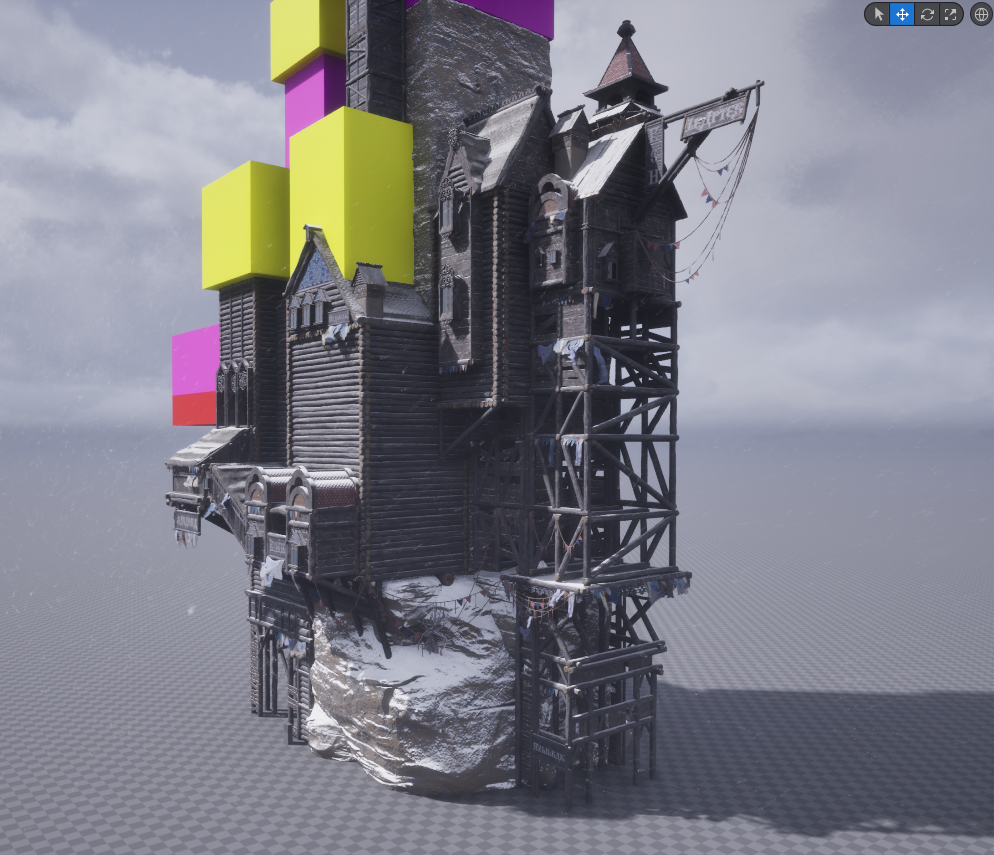
To immerse myself in the Nogroth universe, I decided to match the concept art's mood early on, by adding snow particles, snow accumulation on the roofs and logs, hanging clothes waving in the wind, and an overcast lighting with low heavy grey clouds. Every asset of this challenge will be produced by me, but I have to admit that I'm not a huge fan of making particles and it turns out Cosmos's marketplace has some very nice, free particles already made that fit my scene perfectly. That's not only a time saving choice but also an excuse to try out Learte's tool to inject assets into Unreal, called Rocket. The snow wasn't optimised enought for my scene; I need a very dense snow visible from all angles and from far away, so I had to tweak the particle a little to make it easier for the PC to handle.
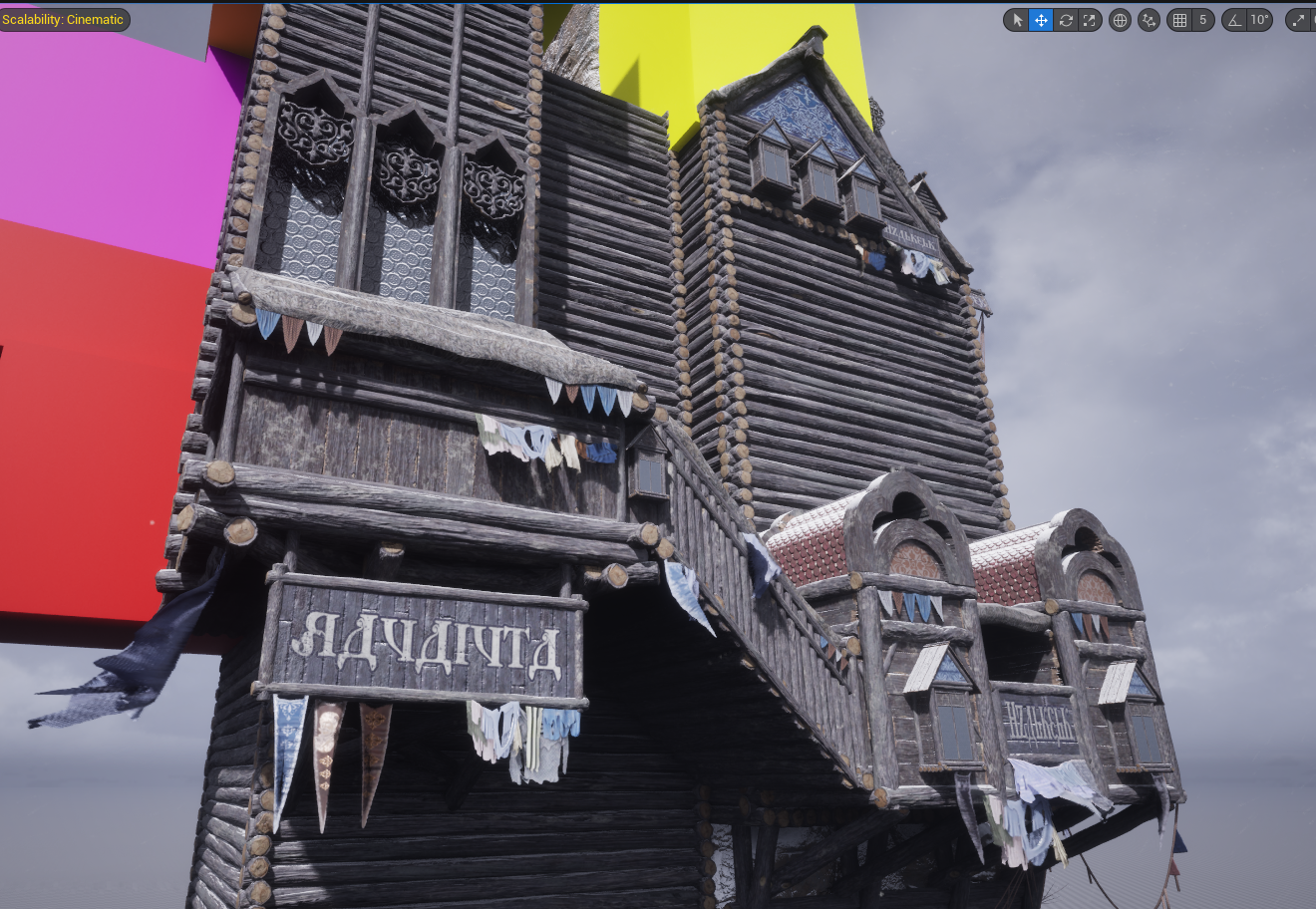
So far my advanced blocking is looking good enought for me to experiment with shapes and scales. My scene isn't a 1:1 copy of Max's concept art, I want to make it colder, "snowy-er" and a little bit more grim. Even tho I'm not satisfied of everything I made so far, I'm confident enought in my time management to know I'll have some time to get back on those lacking areas later. As I said; I want to see results fast to correct the aim fast. So far, my critics on my project are maybe too low poly assets, and too many reused materials. The glass isn't that great and the large logs parts look very empty without the metallic pipes. The hanging cables are static, like the pennants hanging from them, while everything hanging in the scene has sme wind to it, wich looks off. I'm using Dash's cable tool for those and i'm still not on point with it. I am able to notice this thanks the the fast itteration method. Showing some screenshots to the community on the Leartes's discord might bring some good criticism from the other artists participating in the challenge, even tho it might still be a little early for concrete feedbacks, its still good to hear what the other's have to say.
When we make environments, it is crucial to break the stillness of the scene. It is not always a bad thing to have a still environment, but in my opinion, having some movings parts adds so much. It can be torches, fires, wind particles, dust, water, lava.... the list goes on. Depending on what you are making, you always have a few selection of things you can animate to add some life into the global environment. Too much movements can play against you, and too little aswell. That's this balance I'm trying to figure out with this environment i'm making. By experimenting here and there with shader, since I'm way too lazy to skin and rig assets, I managed to get a few results that are enought. This is not my field of expertise, and with Leartes's challenge it gave me an excuse to try to dig a little more into tech art, shaders and nodes.
Hanging clothes, flying pennants, smoke, snow, waving ropes and rotating windmill, is the movement my scene needed. Also at this step I tried adding some more details, such as pipes, massed snow, stalactites, and chimney smoke particles. All those small details, not very visible from afar sadly, are here as a "plan B" when the eventual spectator will get closer to the building. This scene, Nogroth, is very tricky. It looks busy and noisy (in a good way), and the eye gets lost very easily in all those details. Not only the scene is big but its also very unique, and asks to be digested, understood, felt, before being modeled.
With some music in my ears, I can imagine the wood cracking, the wind howling, the clothes flapping and some bell ringing in the horizon. Max's art really is inspiring.
Now that I've made this very advanced blockout, ahem, well let's stop calling this a blockout at this point. Now that I've modeled and assembled a venerable chunk of Nogroth, I can see if I want to add or remove some things from my asset library before starting the rest of the city. It took my quite a while to make this part and it lets me realise how long the full project is going to take, and this drives me to think I may have bit more than I could chew with this one. In theory I could make it but my free time isn't infinite, and like everyone else, I got other things to do sadly. Thankfully, the models I made are highly reusable, modular and interchangable, so with a bit of courage and patience, I might get a result good enought to be shown to the challenge's eyes. From this point, the list of what's missing goes by: the left part of the building, the bridge linking the two parts, the third part in the horizon, the small house on the bottom right of the original concept art, a ton of rocks to bed the ground and a huge lake, along with a bit of vegetation here and there. The already-made part of Nogroth is my proof of concept of the rest. I can expect the remaining unmodelled city to look like what i've already made. Now is time to block in the additionnal city parts, wich lead to this:

Some parts of the concept art are hard to figure out, such as the bottom left of the image. I struggle to map out in my head, even when zooming in, how the back of Nogroth is made. Given that it is a port city with a strong focus on trade, I'm imagining how it can be behind the citadel. Close-to-earth (or ice in our case) housings, cheap pontoons, small warehouses to stock the good etc, with maybe some places to rest after a long trip. If you zoom in my interpretation of Nogroth, on the middle and bottom right of it, you might notice I added some gruesome details: left to die by frost bodies, with Bosnian text next to them saying death to thieves. I added that because working on this project I had flashbacks of the movie Snowpiercer, were criminals are punished using the freezing weather, and also the pirates era, where the state would hang and expose the dead bodies of the pirates to turn down the others or people joining them. Adding small details such as those ones give a little bit of life and story on top of what the author of the original concept art intended. Additionnaly, I added in the back some moutains. In Max's concept art, the horizon is super flat and foggy, wich doesn't look as good once translated in 3D. So I decided to adapt it slightly by imagining how the horizon could look like if it had no fog and a bit of topography. Also, as visible in the screenshot up there, I'm still mapping out progressively how the far plane of the image looks like. I don't just blockout the whole scene and start working from there; I block out chunks, work it out so it looks decent, and then move on the next area with a new blocking.