The Production Process of a Level Description: From Idea to Reality
- Author
- Gökhan Kuşatan
- Published
- Read Time
- ~ 6 min
- Categories
- Design & Art
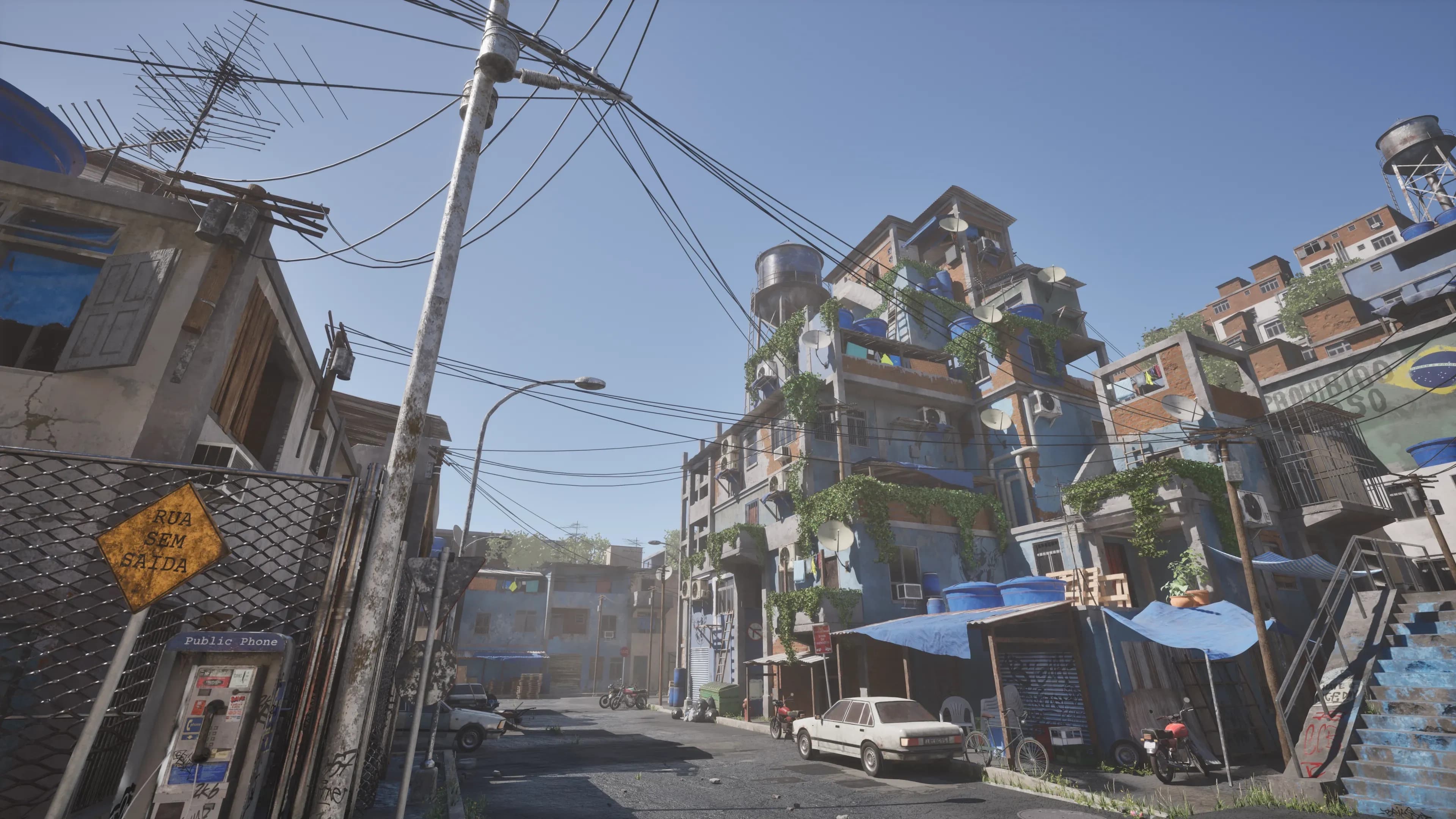
In the wild, wonderful world of game development, a level isn't just a backdrop. It's a living, breathing stage that pulls players into the heart of the experience. But let's be honest. Turning a vague idea into a polished masterpiece takes a ton of work, creativity, and a little bit of magic. Here at cosmos.leartesstudios.com, we're peeling back the curtain to show you how a level description comes together step by step. Buckle up because we're about to take you on a ride through the whole process, from the first spark of inspiration to the moment players step into the world we've built.
Concept Phase: Laying the Foundation
Every great level starts with a single question. What's the big idea? Before we even think about visuals or mechanics, we need to nail down the soul of the level. Is it a sprawling, mysterious forest for an RPG? Is a claustrophobic dungeon crawling with enemies? Or a futuristic city buzzing with life? This is where the "level design brief" comes in. It's a handy document that acts like our North Star. It outlines the level's purpose, the challenges players will tackle, and how it ties into the bigger gameplay loop. We're constantly cross-checking this with the "game design document" (GDD) to ensure everything aligns with the game's vision.
Take an open-world RPG, for example. We might decide the level's goal is to guide players toward a hidden temple with crumbling ruins and sneaky ambushes. That brief becomes our foundation, setting the tone for every following choice.

Pre-Visualization: Bringing Imagination to Life
Once the concept is locked in, it's time to give it some shape. This is the "pre-visualization" phase, where we rough out the level using blockout. Picture this. We fire up Unity or Unreal Engine, grab some essential grey boxes (grey box), and start sketching the layout in 3D. It's not pretty yet. It's just a skeleton of shapes, but it's all about testing the "gameplay flow" and "spatial awareness." Does the space feel right? Can players move naturally from point A to point B?
We're designing that creepy forest level for a horror game. We'd map out winding paths, scatter dense tree clusters, and mark spots where enemies might jump out. The goal is to keep players on edge without making them feel lost. We'll tweak and test until the pacing feels perfect. Too open, and the tension fades. It's too tight, and it's a frustrating maze.

Detailing: Breathing Life into Textures and Atmospheres
With the blockout signed off, the fun begins. This is the "asset integration" stage, where the level looks like something you'd want to explore. We bring in high-quality 3D models. Think detailed trees, weathered stone walls, or flickering neon signs crafted by the talented folks at Leartes Studios. Lighting sets the mood, sound effects add depth, and photorealistic rendering makes it all pop. But we're not just slapping pretty visuals together. We're also using tricks like occlusion culling to keep the game running smoothly, no matter how detailed it gets.
Here's where "environmental storytelling" shines. Imagine an abandoned village. A rusted bicycle tipped over in the grass, a faded sign swinging in the wind, or a cracked window with vines creeping through. These little touches don't just look cool. They hint at a bigger story, pulling players deeper into the world without a single line of dialogue.

Testing and Optimization: Perfecting the Experience
Now that the level's some meat on its bones, we put it through the wringer. Playtesting is where we see if all our grand ideas work. We run through it ourselves, hand it off to testers, and watch how it plays out. Is the pacing spot-on? Are the challenges fair but tough? Are there any spots where players get stuck or the frame rate dips? On the technical side, we're fine-tuning "frame rate optimization" to keep things buttery smooth and double-checking "collision detection" so nobody's falling through the floor.
Feedback is everything here. Maybe testers say the forest feels too empty, so we add more ambient sounds or a lurking shadow. Or that epic boss fight needs a tighter arena. It's a back-and-forth dance until the level feels just right.
Final Touches: Polishing and Launching
We're in the home stretch now, and it's time for "polishing." This is where we obsess over the details: Adjusting the lighting so that the golden hour glow hits just right, layering in particle effects like drifting fog or glowing embers, and mixing the sound so that every footstep or distant howl feels immersive. It's the difference between "good enough" and "wow." Once we're happy, the level gets stitched into the game's bigger tapestry and shipped off to players.
Think of it like wrapping a gift. All the hard work's done, but that final ribbon makes it unique. For our forest level, we could add a subtle wind rustling the leaves or a faint shimmer on a hidden treasure chest. Small touches that leave a big impression.

Why Does This Process Matter?
A level isn't just a collection of polygons—it's an experience that lingers long after the controller is set down. It's about crafting unforgettable moments: the rush of outsmarting an ambush, the awe of stepping into a stunning vista, or the eerie silence of discovering a long-forgotten ruin.
At cosmos.leartesstudios.com, we don't see this as just a job—it's an art form. Whether we're creating a chaotic battlefield or a serene village, every detail is designed to evoke emotion, tell a story, and spark the imagination.
To bring your levels to life, explore our wide range of environment assets, tools, VFX, and SFX—everything you need to build immersive worlds.
You're in the right place if you're on your game dev journey and curious about level design processes, game map creation, or 3D environment design. Keep an eye on our blog—this is just the beginning.
Looking to speed up your level design and post-processing workflows?
Check out our advanced tools: ULAT and ULC. These are sold separately and designed to give you complete control and efficiency in your environment design process.
Plus, you can unlock a 1-week free Cosmos subscription to explore our premium environment assets and start building your next great world.